Learn from the home row
Graded lessons, step by step.

Type without looking, using all ten fingers. It is the biggest upgrade you can make to your speed and accuracy, and most people learn the basics in a few weeks of short daily practice.
Graded lessons, step by step.
100 levels, earned by typing.
Arcade action with bosses.
Live 1v1 on the ELO ladder.
Bigger arenas are on the way.
Bonus XP every day.
Weekly titles and prizes.
Themes, carets and sounds.
Free to try. No sign-up needed.
Play free ↗Rest your fingers on the middle letter row. Your left hand sits on A S D F and your right hand on J K L ;. Your index fingers feel the small raised bumps on F and J, so you can find home without looking. Thumbs rest on the space bar, and after every key you press, return to this row.
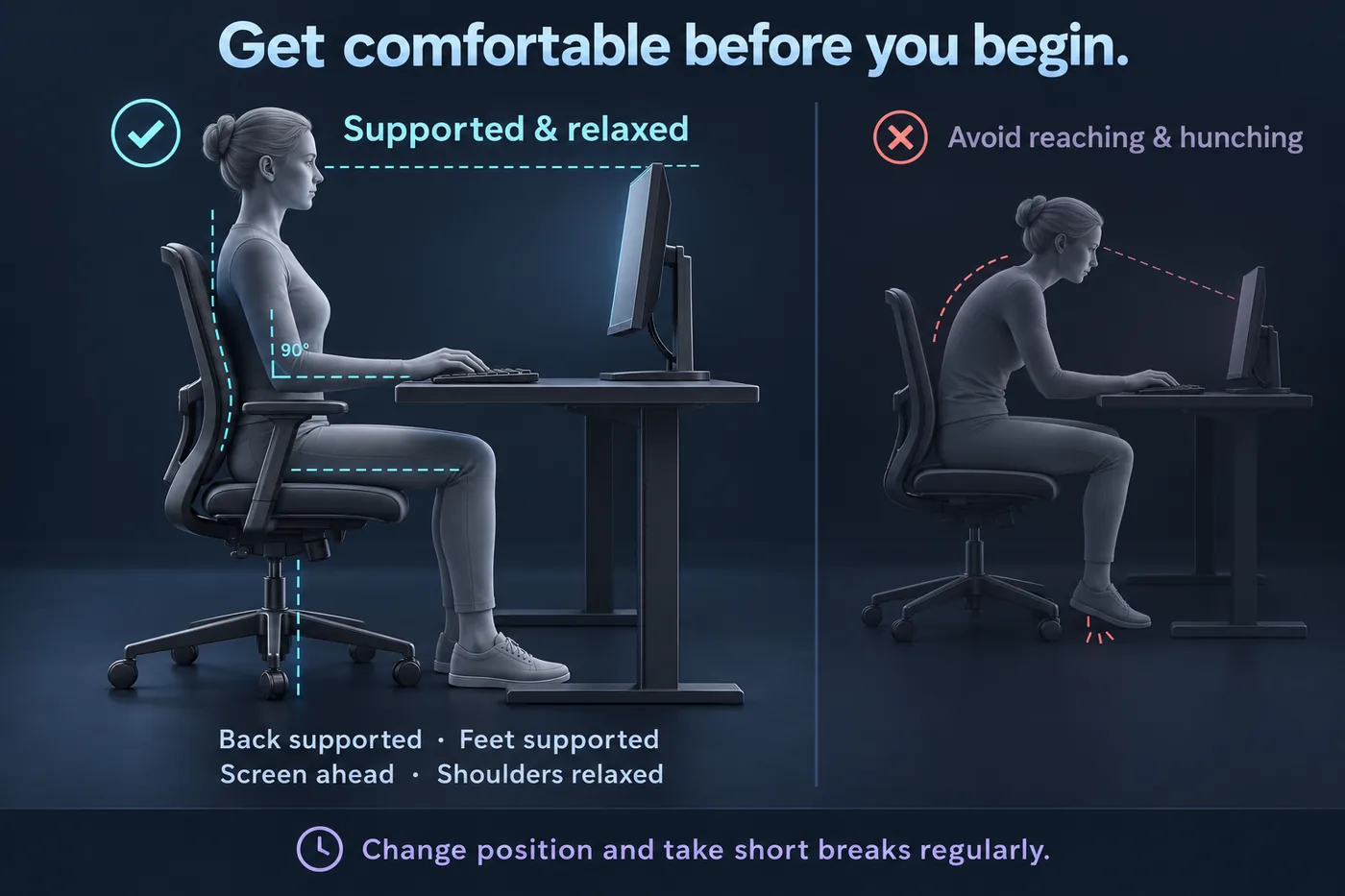
Don’t try to learn the whole keyboard at once. Add keys gradually. Typoclysm’s Learn path follows exactly this order, starts with just A S D F, and grades every lesson on accuracy so you only move on when the keys feel natural.
No looking at the keyboard. Slow and clean.
10–15 min / dayAdd the other rows and common short words.
15 min / dayFull sentences, numbers and punctuation.
15–20 min / dayBuild pace and drill the keys that slow you.
15–20 min / dayIt feels faster for a day and slower for a year. Cover your hands or watch the screen only.
Build accuracy to 95% first. Speed arrives on its own.
Even if it feels awkward at first, make every finger do its own keys.
Short daily practice builds muscle memory better than marathon sessions.
Most learners reach 30–40 WPM within a few weeks of 15 minutes a day, 50–60 WPM after a few months, and some go well past 100.
No. Looking down builds the wrong habit. Use the bumps on F and J to find home, and trust your fingers even when you make mistakes at first.
40 WPM is comfortable for most everyday work. 60+ is fast. Check where you stand with the free typing test.
No. Adults often learn faster than children because they are more consistent. A few focused weeks is enough to change your habits.
Structured lessons, drills built from your weak keys, an arcade where you defend a fortress by typing, and live races against real players. Free, with no sign-up needed to start.